ANSYS ICEM CFD

Extend Your ANSYS Meshing capabilities with ANSYS ICEM CFD Meshing Software.

» ANSYS ICEM CFD Brochure (PDF)
» ANSYS Meshing Solutions Brochure (PDF)
» What's new in ANSYS 12
» ANSYS 12.1 Capabilities Chart (PDF)

 
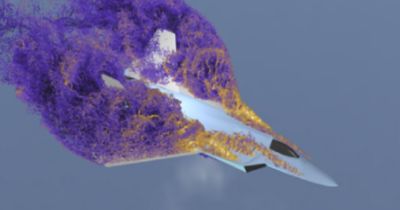
ANSYS ICEM CFD meshing software starts with advanced CAD/geometry readers and repair tools that allow the user to quickly move to a variety of geometry-tolerant meshers and produce high-quality volume or surface meshes with minimal effort. Advanced mesh diagnostics, interactive and automated mesh editing, output to a wide variety of CFD and FEA solvers, and multi-physics post-processing tools make the ANSYS ICEM CFD tool a complete meshing solution. ANSYS ICEM CFD is the Swiss army knife of meshing; our product vision is to provide a variety of flexible tools that can take the model from any geometry to any solver, in one modern and fully scriptable environment.

Key Features:

Now, engineers and analysts have to learn only one software environment to pre-process as well as post-process for the many analysis codes often in use within a work environment.

ANSYS ICEM CFD Technology in ANSYS Meshing

A key component of the ANSYS vision is to unify our best meshing technologies on our ANSYS Meshing Platform, available on the ANSYS Workbench. Over the past few releases, our unified development teams have been combining ICEM CFD technology, such as Shell Meshing, Tetra/Prism and Hexa MultiZone with the best technology available from TGrid, Gambit, CFX Mesh and ANSYS in the ANSYS Meshing tool. The latest version of ANSYS Meshing saw improvements in the implementation and integration of these methods. To make these modern, parametric and persistent, highly automated, physics aware and flexible meshing tools easily accessible to our ANSYS ICEM CFD users, The ANSYS Meshing product will work with your current ICEM CFD (aienv) and ICEM CFD Tetra (aitetra) keys.

Higher end ICEM CFD and TGrid tools such as mesh editing and hexa blocking will also migrate over to the ANSYS meshing platform eventually, in the form of a new “ANSYS Extended Meshing” product, which will sit on top of the currently available ANSYS Meshing product. ANSYS ICEM CFD users will have the option seamlessly migrate over to this new tool when it becomes available. In the mean time, users should expect more integration between the different meshing products as well as ongoing R&D from the ANSYS meshing development team as we continue to improve the software for our current users and to develop “Extended Meshing” tools for the future.

Direct CAD Interfaces

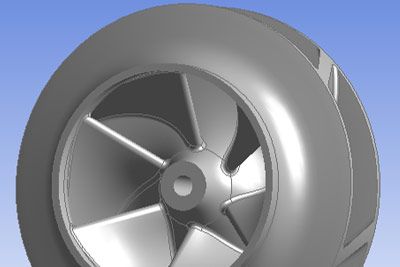
A key component of increased productivity with ANSYS ICEM CFD meshing software is it industry leading CAD and Geometry support.  We support a wide range of direct CAD interfaces, geometry readers, faceted geometry readers and mesh import. Components from different formats can easily be combined within one meshing session. 

Presently available for all major CAD environments, our industry-unique Direct CAD Interfaces allow boundary conditions and mesh parameters to be applied within the CAD system and carried all the way through to the solver. Parametric modeling is simplified as this information is preserved with the original CAD model, even throughout design modifications. These interfaces also enable the CAD model to be transferred directly into ANSYS ICEM CFD software, avoiding the cleanup often required with third-party formats such as STEP, IGES or STL. 

We can also read and repair 3rd party CAD such as STEP, IGES, ACIS, Parasolid, DWG/DXF, IDI, and GEMS. Other users take advantage of the ability to import and repair many forms of Faceted data (STL, VRML, etc) and Formatted point clouds. There are also options to import mesh and convert the surface mesh to faceted geometry, including feature capture, etc.

However, flexible parametric CAD geometry and faceted geometry support, combined with our very geometry-tolerant patch independent meshers, can reduce or eliminate the need for CAD repair or NURBS surfacing of faceted geometries.

Complete Meshing Suite

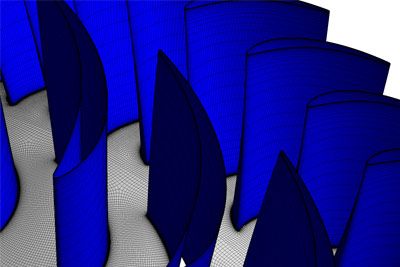
A variety of flexible mesh generation tools within ANSYS ICEM CFD offers the capability to parametrically create volume or surface meshes from geometry or mesh in multiblock structured, unstructured hexahedral, Cartesian, tetrahedral prism, hexa hybrid and unstructured quad/tri shell formats. 

ANSYS ICEM CFD includes surface-patch independent mesh methods for generating shell, tetrahedral or hexahedral meshes.  Patch independence allows the user to selectively capture important geometric features, yet ignore flaws such as slivers or gaps. These meshers can walk over significant defects in the geometry without requiring it to be repaired. 

ANSYS ICEM CFD Hexa uses a primarily top-down blocking approach to efficiently hex mesh complex models without the need to subdivide the geometry. ANSYS ICEM CFD Hexa offers interactive and automated tools that provide a high degree of quality and control for hex meshing. The blocking is scriptable and parametric and can be associated with topologically similar geometries, saving work on successive models and empowering simulation to lead design. 

Mesh Diagnostics and Editing

ANSYS ICEM CFD meshing software includes industry-leading mesh diagnostic and repair capabilities.  In addition to comprehensive mesh checks, it includes a wide variety of quality metrics and other tools for mesh diagnosis and repair. Interactive mesh editing functions allow for precise control of node location, splitting of edges, creation of elements and much more. Automatic operations include smoothing, coarsening/refining, remeshing and merging hexa and tetra meshes. All of the mesh editing functions respect the geometry features, maintaining geometric integrity. 

Output Interfaces

ANSYS ICEM CFD offers output interfaces to over 100 different CAE formats, including support for all of the major CFD solvers, neutral formats such as CGNS, and FEA solvers such as ANSYS, ANSYS LS-DYNA, ABAQUS and NASTRAN.

Post-Processing

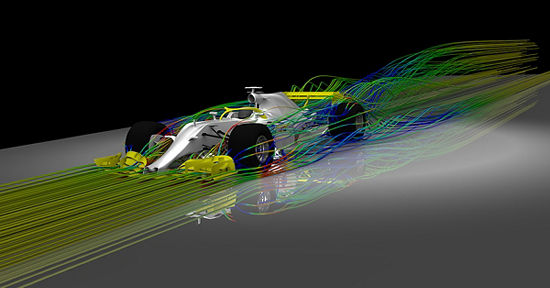
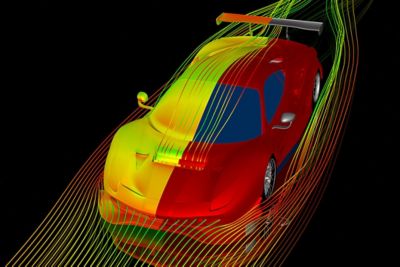
The ANSYS ICEM CFD Visual3 post-processor is flexible, scriptable and customizable. It can post-process from a number of CFD and FEA results formats and supports structured, unstructured and hybrid grids. ICEM CFD Visual3 provides an in depth view of data with visualization tools such as cutting planes, contouring, iso-surfaces, streamlines, line plots, data probes and animation. Features such as a CFD function calculator and an intuitive based user interface make ICEM CFD Visual3 a powerful interpretation tool of computed results. One-way fluid structure interaction (FSI) can easily be set up between a variety of solvers; CFD results, such as pressure or temperature, can be interpolated onto an FEA mesh as loads and then exported to a range of FEA solvers.  

While Visual3 may meet or exceed your needs, we are shifting focus to our newer workbench based post processing tools, such as ANSYS CFD Post, and recommend users look into these as well.  


» ANSYS ICEM CFD Process Overview