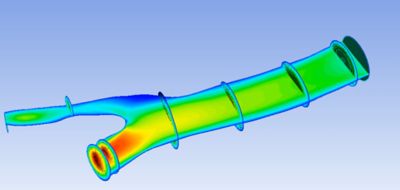
Realistic Coronary Artery Bifurcation Flow Simulation in Ansys Fluent Software
This tutorial provides a step-by-step guide for setting up, simulating, and visualizing steady-state blood flow in a coronary bifurcation, using geometry obtained from clinical imaging data. The workflow starts with preparing the geometry and creating a high-quality mesh in Ansys Discovery™ 3D product simulation software and Ansys Meshing. The main simulation is then carried out in Ansys Fluent® fluid simulation software, where blood flow is modeled by applying appropriate boundary conditions and solving the fluid dynamics equations. This step generates important information on how blood moves, including velocity and pressure patterns. Finally, the results are analyzed and visualized in Ansys CFD-Post, allowing students to create detailed plots and animations of key parameters to help them better understand blood flow behavior in cardiovascular simulations.
Learning Outcomes
- How to prepare the patient-specific anatomical segmentation for flow simulation
- How to create a mesh and apply boundary conditions
- How to perform a flow simulation and set up results visualization
Applicable Courses for Use
- Computational Fluid Dynamics
- Fluid Mechanics
- Biomechanics
- Advanced Fluid Dynamics
Downloadable Content
- Tutorial document
- Vessel data file
Related Resources
Carotid Artery Simulation with Ansys Tools | Education Resources
Coronary Stent Design with Ansys Tools | Education Resources