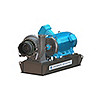
Quick Specs
Get industry leading accuracy with Ansys CFX. This tool quickly solves turbomachinery problems and provides engineers with more time to focus on their design.
Ansys empowers the next generation of engineers
Students get free access to world-class simulation software.
Design your future
Connect with Ansys to explore how simulation can power your next breakthrough.
Students get free access to world-class simulation software.
Connect with Ansys to explore how simulation can power your next breakthrough.
Ansys CFX is the industry leading CFD software for turbomachinery applications. Shorten development time with streamlined workflows, advanced physics modeling capabilities and accurate results.
Known for its extreme robustness, CFX is the gold standard CFD software when it comes to turbomachinery applications. Both solver and models are wrapped in a modern, intuitive, and flexible GUI, with extensive capabilities for customization and automation using session files, scripting and a powerful expression language. Highly scalable high-performance computing will help speed up simulations including pumps, fans, compressors and turbines.


Get industry leading accuracy with Ansys CFX. This tool quickly solves turbomachinery problems and provides engineers with more time to focus on their design.
Lorem Ipsum has been the industry's standard dummy text ever since the 1500s, when an unknown printer took a galley of type and scrambled it to make a type specimen book. It has survived not only five centuries
Ansys CFX lets engineers investigate thermal properties of new and complex turbine blade geometries.
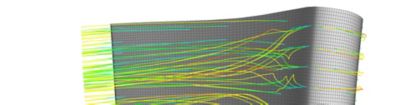
“Other codes that were tried in this application often did not converge at this node spacing [0.001mm]. The researchers validated the CFD results against a test problem consisting of a planar jet impinging on a flat plate and achieved very good correlation.”
New manufacturing methods have opened the door to more effective turbine cooling channel geometries. The new geometries will lead to better performance and efficiency but are more complex. To achieve highly accurate results, a team of Purdue engineers turned to Ansys CFX.
The engineers executed key computations with little turnaround time. With the extra time, they could perform more in-depth comparisons and run further simulations to fully optimize their product. Ansys CFX gave them the tools to land on a multi-mesh “weave” design. The new turbine design runs with much cooler blades and has been implemented at the Air Force Research Laboratory.
Lorem Ipsum has been the industry's standard dummy text ever since the 1500s, when an unknown printer took a galley of type and scrambled it to make a type specimen book. It has survived not only five centuries
March 2026
Explore the latest features in Ansys CFX in the 2026 R1 release.
PyCFX is a Python interface to CFX components, including CFX-Pre and CFD-Post, providing full physics availability and comprehensive user documentation with examples. It has a similar interface to PyFluent.
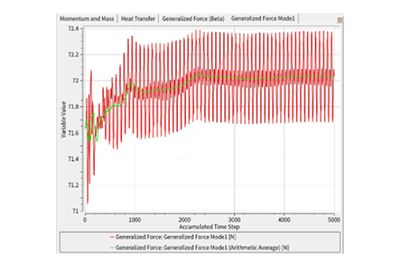
Built-in calculation of generalized force on boundaries, enabling users to better assess the convergence of the forcing term in a forced response calculation.
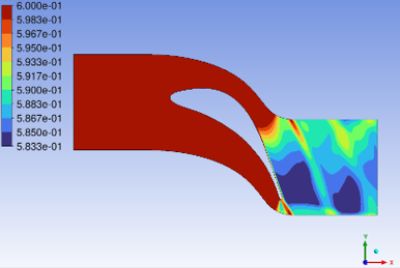
Evaluate condensation processes in moist-air and wet-steam simulations. And it allows mass transfer between only one component of the gas phase and the liquid phase.
Ansys CFX CAPABILITIES
Ansys CFX’s advanced physics modeling capabilities help engineers solve the most complex challenges in turbomachinery applications. This powerful software has been extensively validated and is renowned for its robustness and accuracy. Streamlined turbo setups and blade design tool integration ensures that you have more time to spend optimizing your design. Whether it’s used for blade design optimization or advanced material modeling, CFX is the reliable tool you can use to save both time and money.
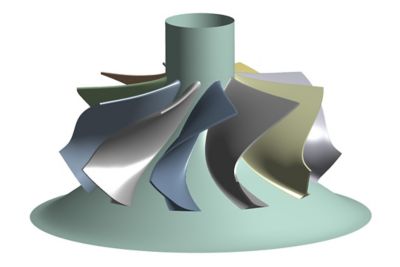
Solve a variety of fluids-related problems with high levels of accuracy and unmatched speed
It's vital to Ansys that all users, including those with disabilities, can access our products. As such, we endeavor to follow accessibility requirements based on the US Access Board (Section 508), Web Content Accessibility Guidelines (WCAG), and the current format of the Voluntary Product Accessibility Template (VPAT).
If you're facing engineering challenges, our team is here to assist. With a wealth of experience and a commitment to innovation, we invite you to reach out to us. Let's collaborate to turn your engineering obstacles into opportunities for growth and success. Contact us today to start the conversation.